IIoT Edge Deployment Made Easy
Tired of grappling with clunky code, incompatible hardware, and slow setup? For industrial use cases—including automation, remote monitoring, and smart grid deployments—compatibility and simplicity are non-negotiable, and the Bivocom TG465 5G edge gateway delivers on both fronts. Built on Ubuntu’s robust open-source system, it enables seamless deployment of the Node-REDUbuntu IoT Gateway, and below we outline 3 straightforward steps to install the latest version of this powerful combination on the gateway.
Before starting, ensure your setup meets these basics:
-
Bivocom TG465 Gateway: With Ubuntu firmware (request it via Bivocom support if missing)
-
Network Connection: 4G cellular or wired Ethernet (ensure stable outbound access for package downloads)
-
Telnet Tool:Such as PuTTY (or any terminal emulator supporting Telnet)
-
Open your Telnet client (e.g., PuTTY) and enter the gateway’s default IP: 192.168.1.1 (use TG465 actual IP if modified).
-
Log in with the root credentials:
-
Username: root
-
Password: heyroot
-
Confirm successful login: The command prompt will appear upon successful authentication.
Execute each command sequentially—wait for one to complete before running the next. Key notes are marked for critical steps:
sudo apt update
sudo apt install npm (Need to enter "y" to continue)
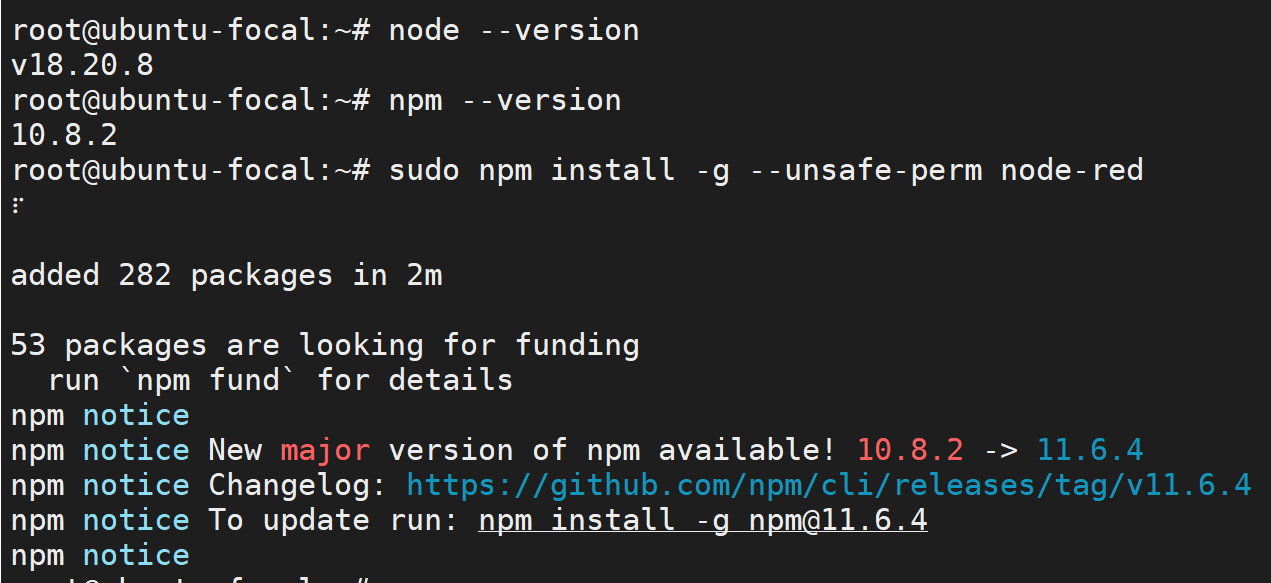
sudo npm install -g --unsafe-perm node-red
curl -fsSL https://deb.nodesource.com/setup_18.x | sudo -E bash -
sudo apt install -y nodejs
sudo npm install -g --unsafe-perm node-red
sudo npm install -g node-red-admin
node-red &
Check for URL typos first—open your browser and enter
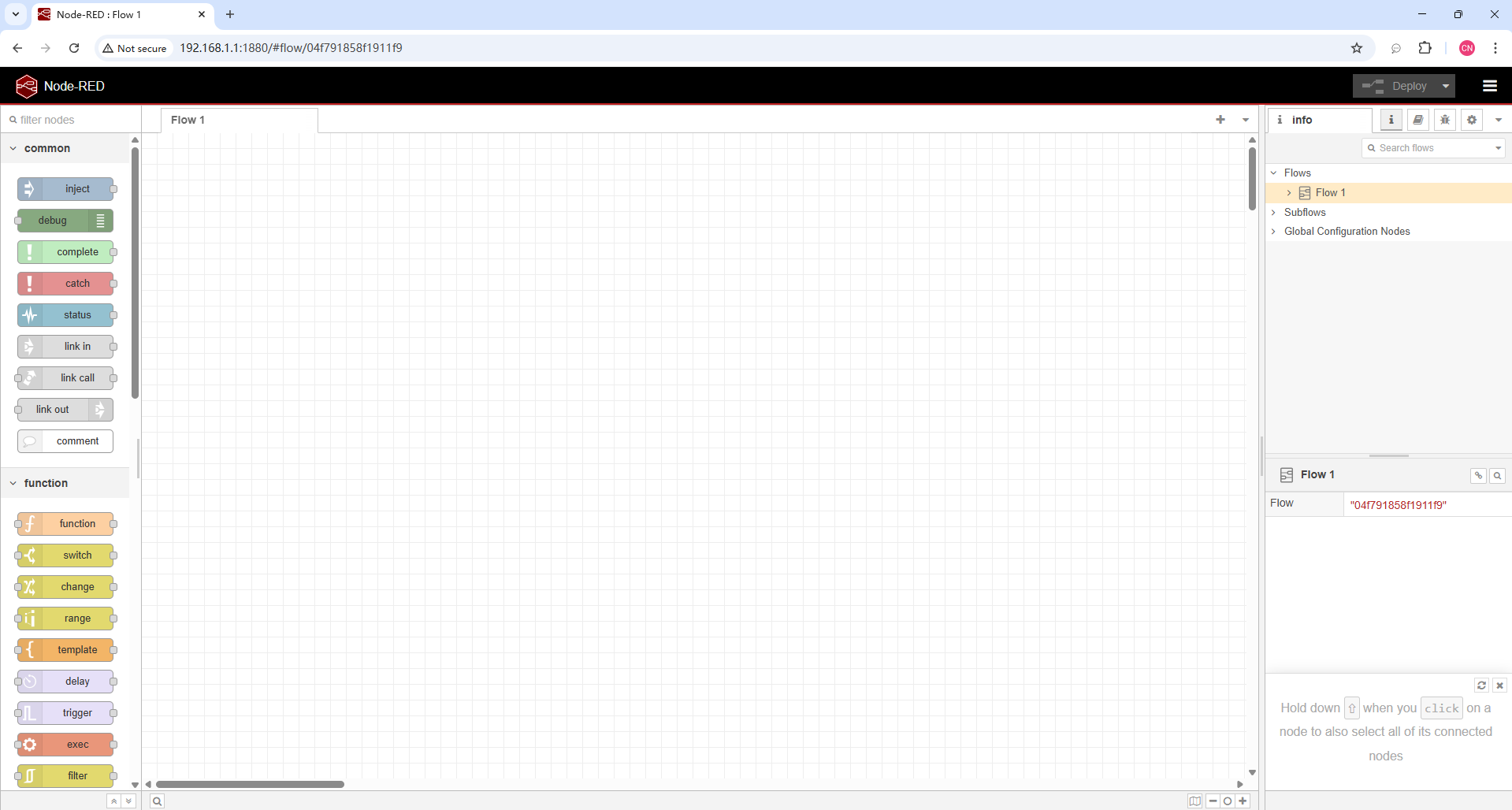
http://192.168.1.1:1880 (use the Bivocom TG465 actual IP if modified). The Node-RED visual editor will load; no initial login is required, but configure authentication later to enhance security.
TG465: 5G edge gateway+Node-RED Ubuntu
Bivocom
TG465 is a mission-critical
5G edge gateway—its industrial hardware, Ubuntu flexibility, and Node-RED simplicity combine to power robust IoT workflows. This pairing eliminates connectivity gaps between industrial field equipment and digital systems, while letting non-specialist developers quickly build stable edge data processing and transmission links, striking a seamless balance between industrial-grade reliability and accessible development.
Equipped with a quad-core 64-bit ARM Cortex-A55 (up to 2GHz), 512MAC NPU (up to 1 TOPS), and scalable 2GB/8GB DDR4 RAM + 16GB/128GB eMMC Flash (optional 2TB NVMe SSD), it delivers reliable edge computing. Its industrial design includes:
- Rich Interfaces: 4 RJ45 (GbE), 6 RS485, 1 RS232, 4 DI/4 Relay, 1 USB3.0/1 USB2.0, 1 TF (plus optional WiFi6/GNSS/HDMI/Super capacitor) to connect sensors, controllers, and meters directly.
- Rugged reliability: -35°C to +75°C operating temperature, 5-60VDC wide power input, and IP30 protection—built for harsh sites like smart grids or manufacturing floors.
Ubuntu serves as the flexible development backbone for the TG465. The gateway supports Ubuntu alongside Bivocom OS and OpenWrt, delivering two critical capabilities. First, it leverages a robust
open-source ecosystem compatible with Node-RED,
N3uron, and Docker containers, enabling seamless tool deployment that positions the TG465 as an ideal foundation for Node-RED Ubuntu IoT Gateways. Second, it facilitates
flexible secondary development: users can run Python and C++ alongside Node-RED, with system-level resource management tailored to maintain edge stability.
Paired with Ubuntu-installed Node-RED, the TG465 becomes an accessible industrial hub:
- Visual Drag-and-drop Programming: Link TG465 built-in MQTT/Modbus protocols via Node-RED nodes—no complex coding needed for data collection or device triggers.
- 5G-driven Efficiency: Process data locally (leveraging TG465’s compute + Ubuntu’s control) to cut cloud bandwidth costs, with real-time responsiveness for Industry 4.0 or smart city use cases.
Bivocom leverages over a decade of IIoT expertise and global footprint to simplify industrial edge deployments—empowering businesses to turn connectivity challenges into actionable value. Our client-centric approach is rooted in on-site validation of real-world use cases, ensuring solutions align with your unique operational needs. By combining rugged hardware (
GNSS/LoRa/5G routers, gateways, and RTUs) like the TG465 5G edge gateway,
flexible Ubuntu ecosystems, and
low-code Node-RED capabilities, we eliminate the complexity of industrial IoT integration, letting you focus on scaling innovation rather than troubleshooting setups. With Node-RED running on TG465, try these quick projects to unlock value:
-
Sensor Data Collection: Use Node-RED’s Modbus nodes to read data from RS485 sensors connected to TG465.
-
Cloud Integration: Add an MQTT node to push data to mainstream IoT cloud services or Bivocom Cloud DMP.
-
Local Automation: Create a flow to trigger TG465’s relay output when a sensor threshold is exceeded.
Ready to turn your IoT vision into industrial-grade reality?
Our IIoT experts support your project from prototype to deployment. Reach out to
[email protected] for a free tailored assessment, and we’ll help you unlock the full potential of
TG465 + Ubuntu + Node-RED. Bivocom powers reliable, efficient connected solutions: the TG465 makes industrial-grade IoT accessible to every developer, regardless of coding skill. We stand with you every step of your innovation journey, turning concepts into
high-performance, scalable systems.
-on-Bivocom-TG465-IoT-Edge-AI-Gateway-with-Ubuntu-768x512.png "Install Ollama & Llama (LLM, large language model)) on Bivocom TG465 IoT Edge AI Gateway with Ubuntu")



Comment